
Building and running an app has never been more competitive. Jordan shows how building on the Cloudflare platform can hand you a competitive advantage, and potentially a free bill too, by making your app good, fast, and cheap to run. For once, you get to pick all three.
The slides, right here.







Jordan Finneran is the winner of the 2025 Shopify Build Community Award and helps Shopify merchants get their backend and retail operations under control. He has worked with businesses of all sizes, from single-store brands to major European retailers, running over 5,000 stock takes and inventory workflows. With experience at Gymshark and Checkout Blocks, he brings deep knowledge of the Shopify platform, its capabilities, its limits, and the wider retail and operations ecosystem.
Read the full talk
Jordan: I'm here to talk about building your app on Cloudflare. I'm an app dev. If you're not an app dev, I'm sure you build apps or things for clients, and this will apply to you too.
I'm not sponsored by Cloudflare. I'm just a big fan. And you've got to pick three things with them.
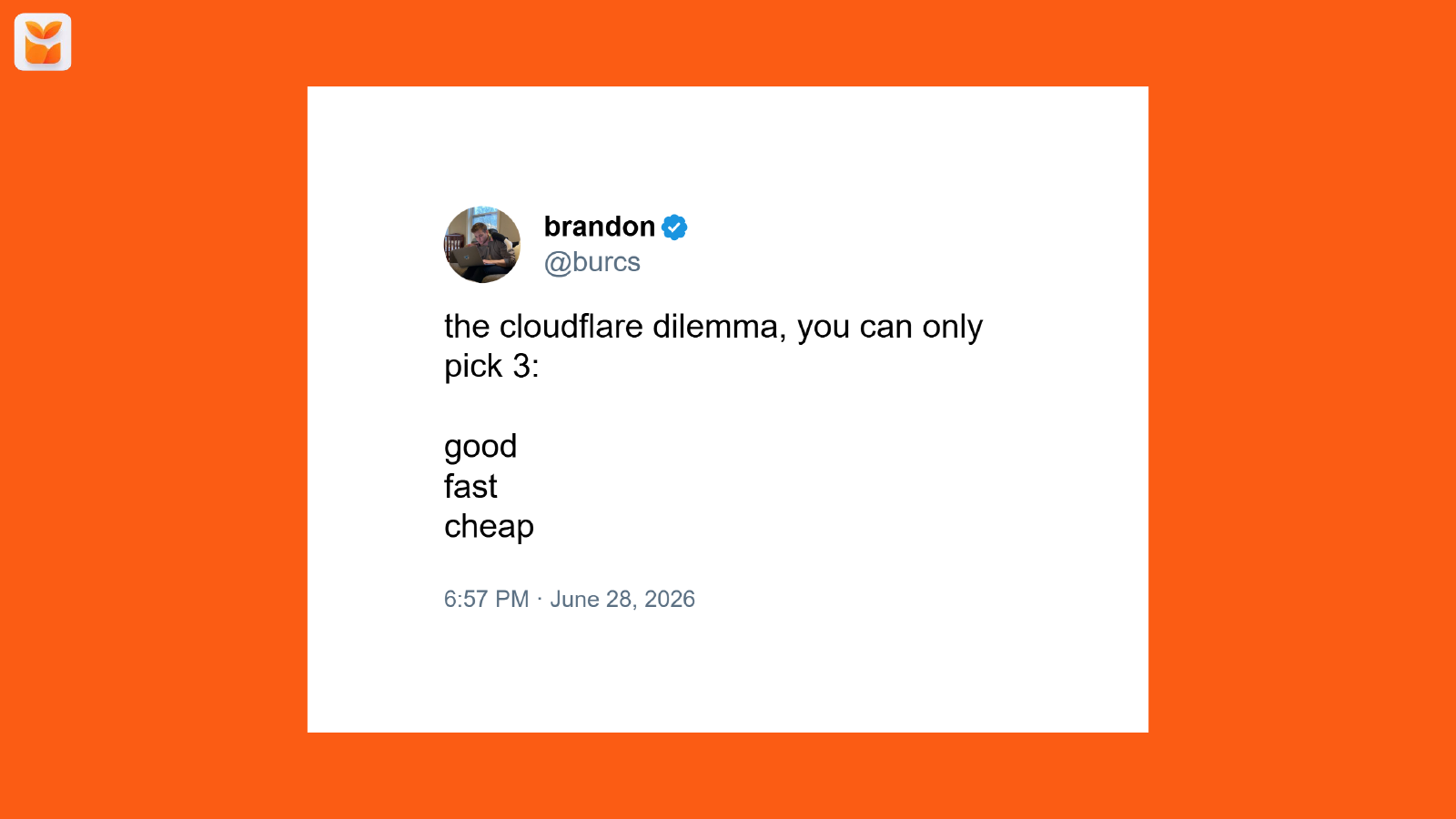
It's good, fast, or cheap. I have a confession to make, so I kind of stole the talk title from someone else. This is Brendan, who works at Cloudflare, and I thought it was quite funny as a talk title.
Also, thank you for getting lunch early because I was hungry, so thanks for waiting around for that. So, I'm a solo engineer, right? I do everything myself. I do the support, the demo calls, the dev.
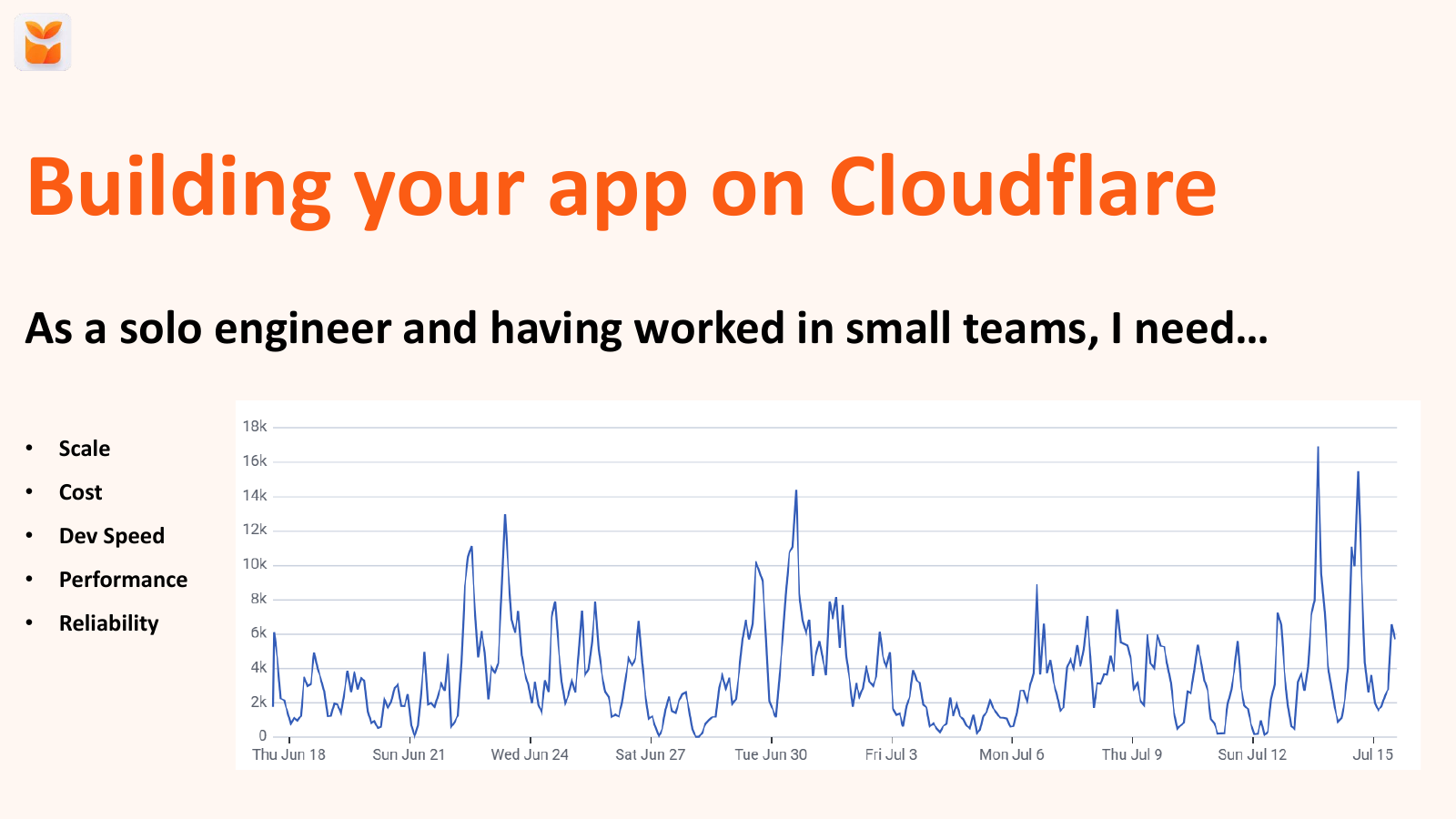
I'm a developer by background. And I need quite a few things, right, when I'm building my app. I need something that's going to scale. You can see my live traffic. This is for end of June, July.
You can see it's spiky as hell, right? That is not consistent. I don't want to have to get involved every time there's a spike.
I don't have the time to do that. There's a joke about Yorkshire people being tight. I don't want to pay for anything more than I have to.
I don't want to pay for something running when it's not needed. Every penny matters. We live and die by reviews, as someone mentioned earlier in the app store.
So that's really important as well, that we have something that's both performance and reliable, and that I can dev quickly. So if there's a bug, I can fix it quickly. I can deploy it quickly.
And similarly, great performance is important for built for Shopify, for your LCP, but also for your merchant experience, right? So these are things that are important to me. And who am I?
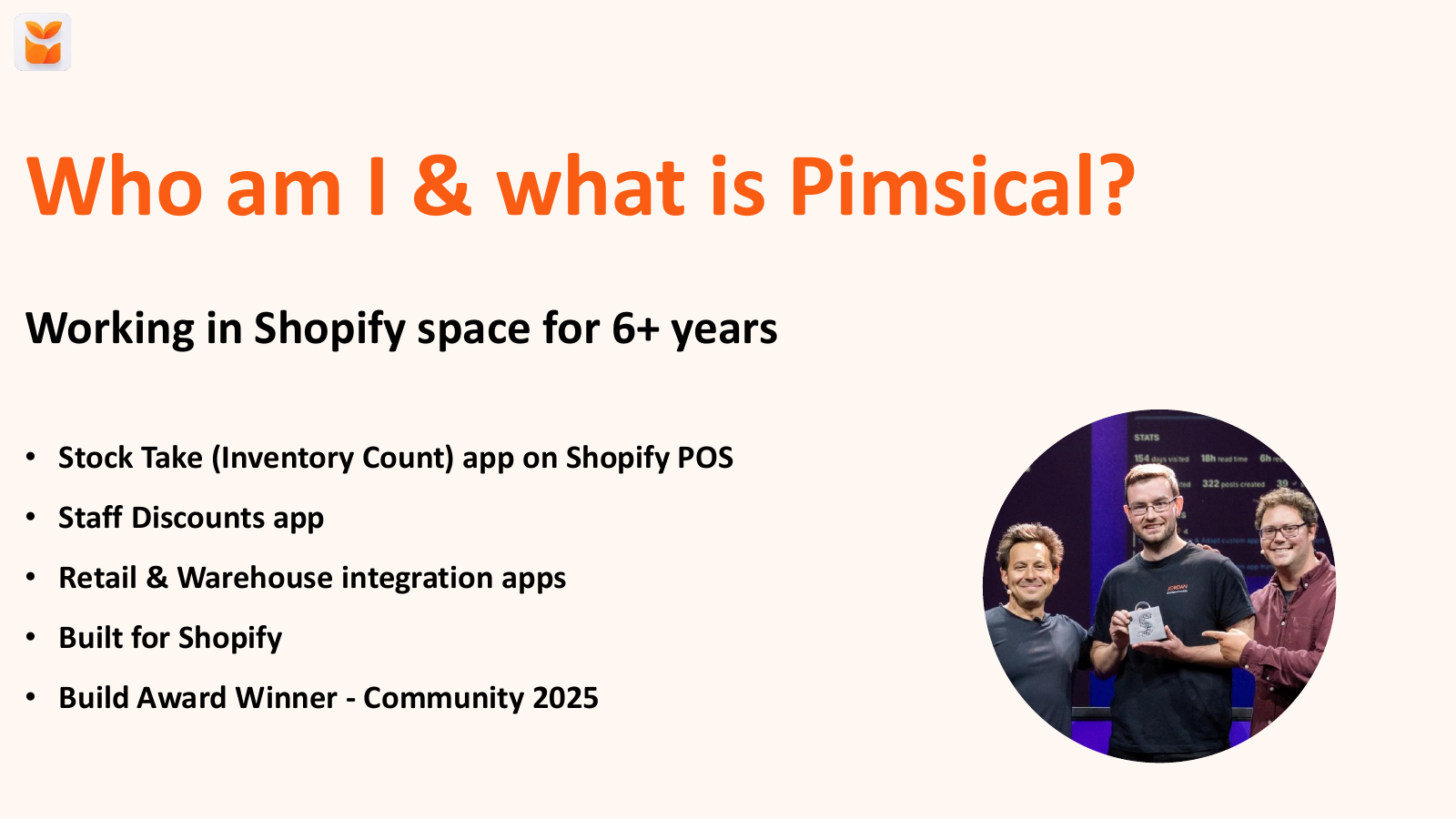
I'm Jordan. I know quite a few of you. I worked in Shopify space for six years.
I've been at Checkout Blocks, Gymshark, I now run my own company Pimzical. Pimzical does stock management, inventory management. I got staff discounts, all the dull behind the scenes stuff that people really have to do day to day, but are not fun, is where I specialize in.
So if anyone wants to talk about any of that in stock management, then come and chat, because I'm all about that. And point of sale, so everything on Shopify point of sale. I am a built Shopify, and I'm a Builder Warder under from last year.
So a couple of questions for the audience. I'm an audience participation person when doing a talk. So who cares about that being good?
Great. Who cares about being fast and performing? Nice.
How about cheap? OK, great. So I'm preaching to the crowd.
This is wonderful. Oh, and one more thing. Who likes their current hosting bill from their Cloud provider or whatever you run your app on?
Who enjoys paying that every month? I had the quotes in that last talk, hundreds of dollars a month. What about if it could be free?
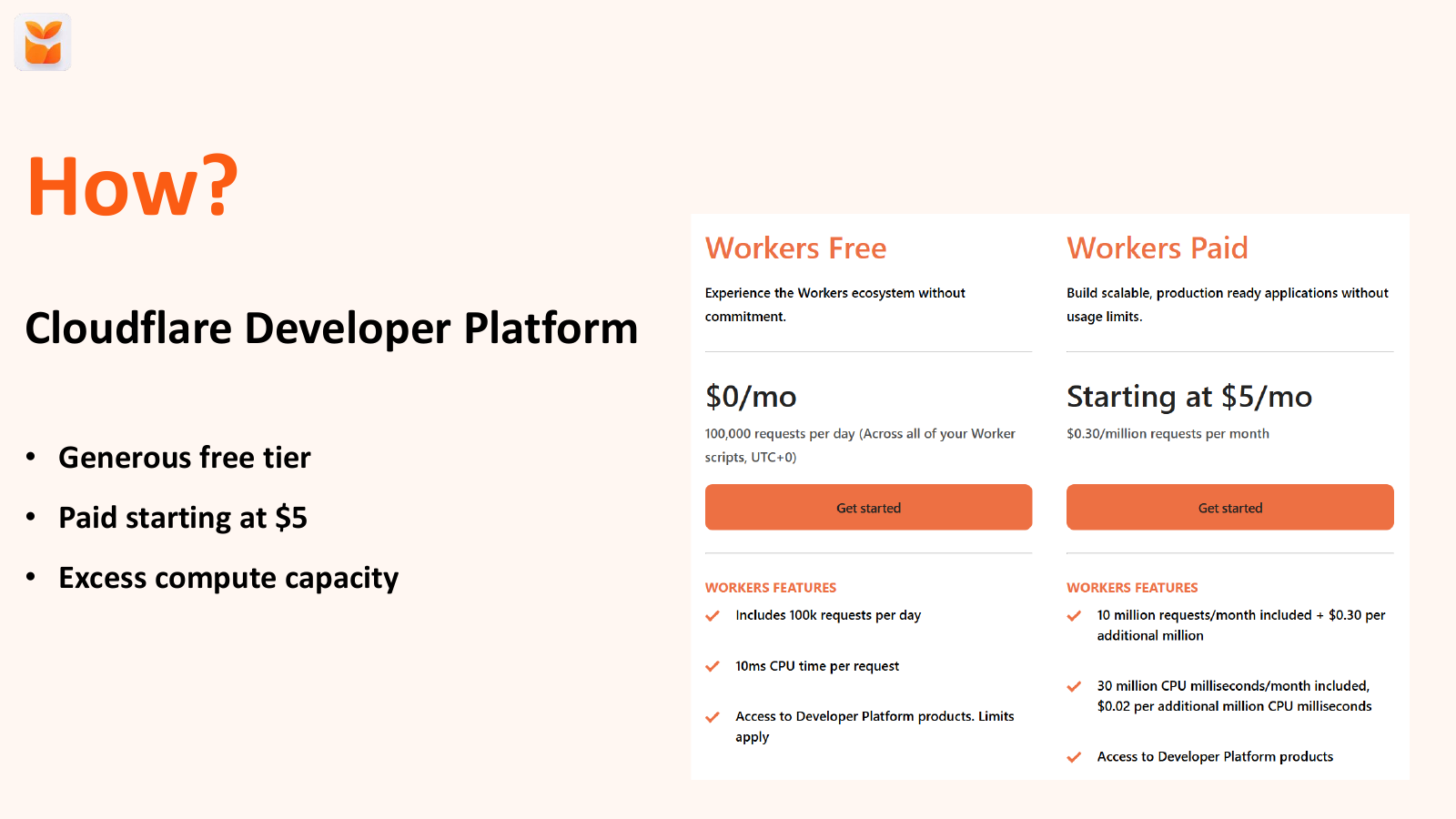
Or maybe even just $5 a month? Well, that's where Cloudflare comes in. So I host my app on Cloudflare.
I pay $5 a month. All that traffic you saw on the previous graph, all $5 a month. And they have an incredible free tier, so you could even do it for free, 100,000 requests a day for free.
And paid starts at $5 a month. That gives you 10 million requests per month. And I don't think there's a lot of apps out there doing more than 10 million requests, API requests a month.
So you could do all that for $5, right? My code class night was $2.50. So it's incredible value.
They do this because Cloudflare, if you don't know, started off as a Denial of Service provider. So they have to have a lot of compute ready to handle those kind of attacks. And they therefore offer this dev platform on that spare compute, because most of the time, they're not handling an enormous Denial of Service attack.
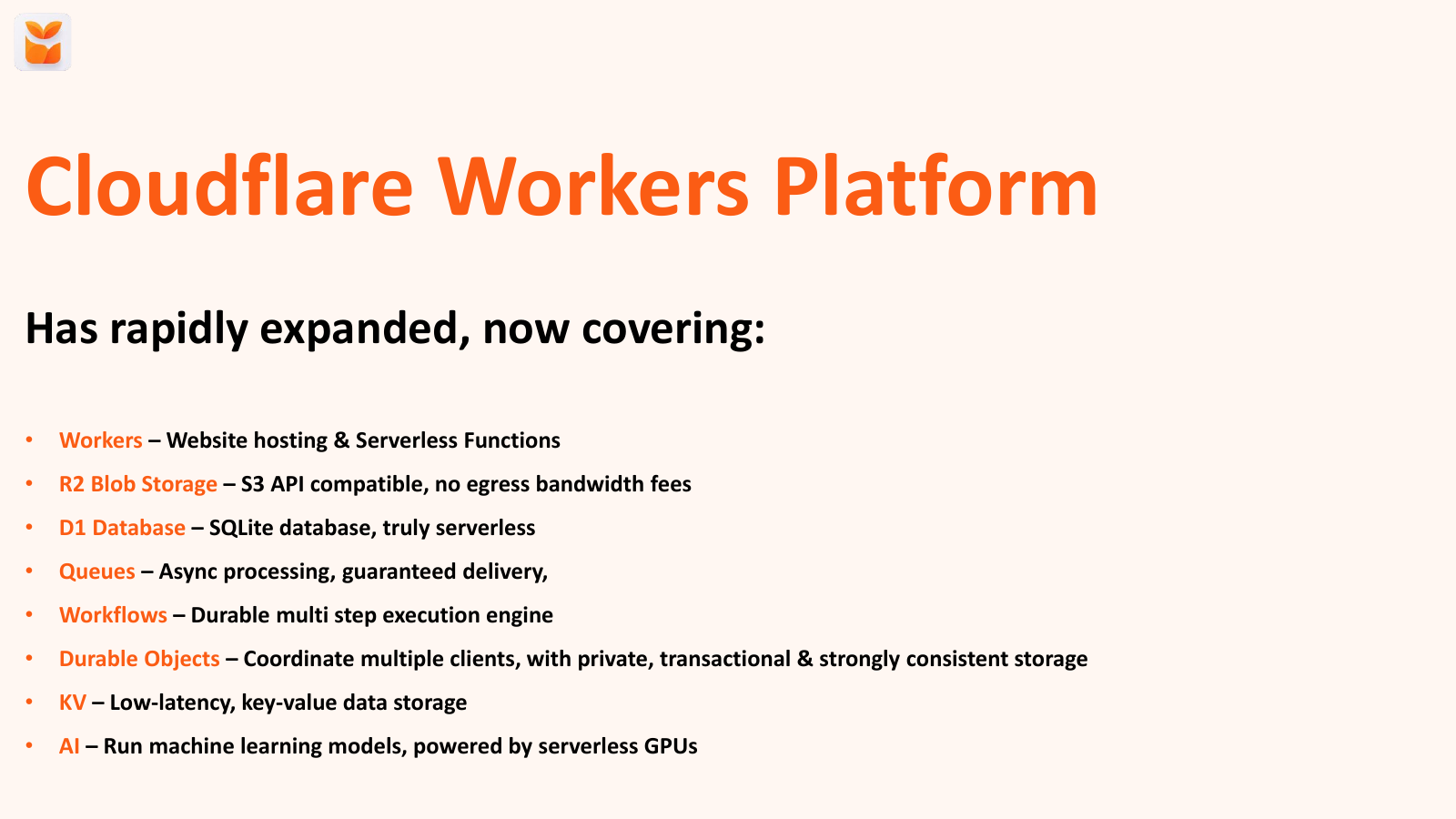
And that's how they make it affordable. Their platform has expanded rapidly over the last couple of years. So it started out with workers, so website hosting serverless development. They've now got R2, which is blob storage. If you fill in the AWS, it's S3 compatible, which is very confusing. There's D1, which is their SQLite database, which is serverless as well. They've got queues facing from this processing. Workflows, which are multi-step processes that need to be reliable. Durable objects, which let you do web sockets and coordinate multiple clients, I think multiplayer games, that kind of stuff. There's key value, for like caching and that kind of information.
And they've recently launched AI as well, because I can't mention it, not I mentioned AI in a .dev week. There you can run machine learning models, all powered serverlessly. So again, you're not paying for it being open 24/7.
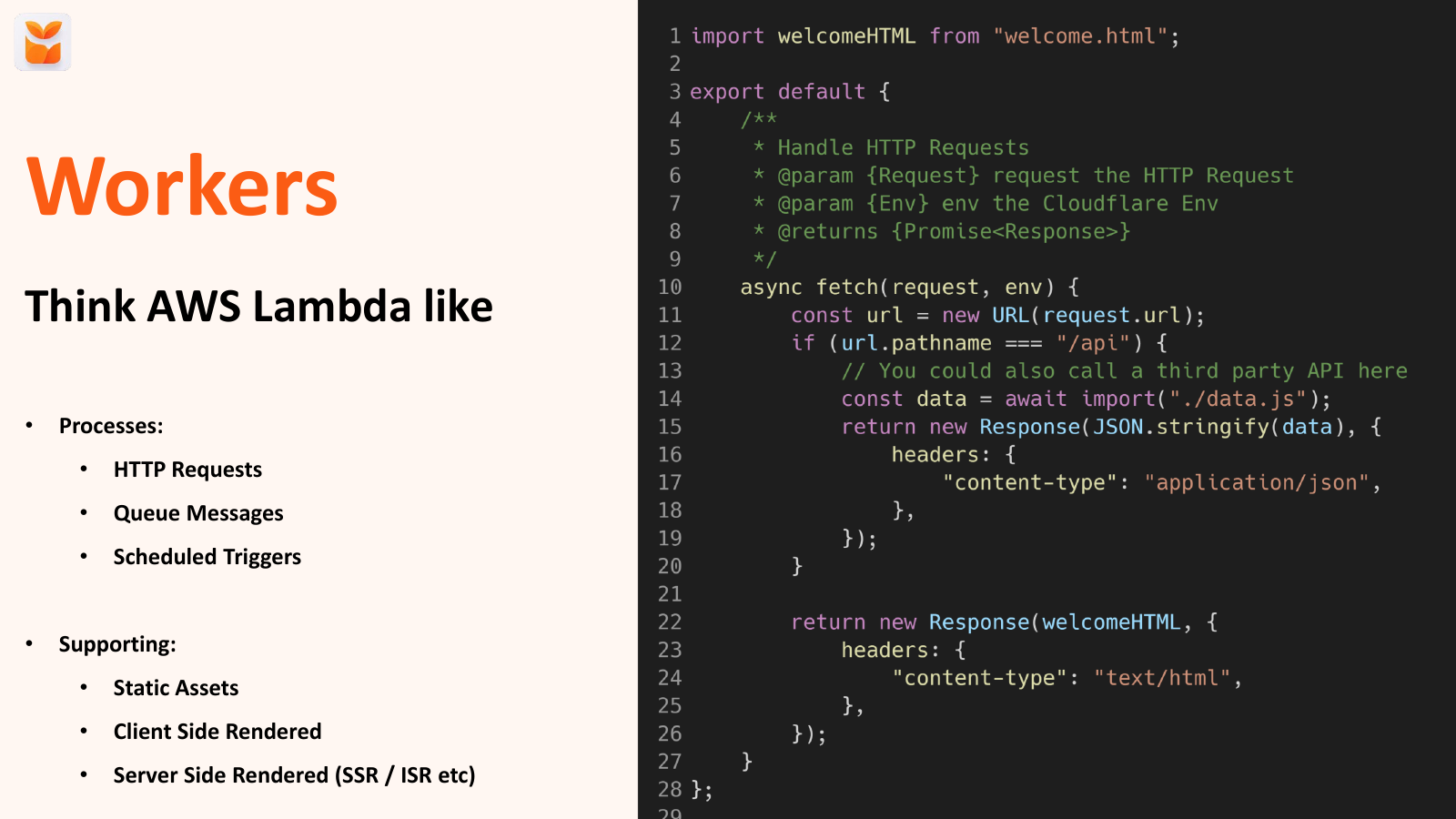
And it's got a lot of capabilities now. So workers is what the entire Cloud Platform has built on. They are speedy serverless compute.
So think of them. If you use another Cloud Platform like Lambda, they're serverless workers that run inside of the V8 engine. So there is no cold start times.
They are incredibly fast, because the same thing that happens when you open a new tab in your browser is the same thing that powers a Cloudflare worker. So they're incredibly fast to run and execute, and so it keeps everything incredibly rapid. Not only that, but they're isolated.
So if anyone's seen the ChatGPT recently hacked codecs, That can't happen in this because they're all isolated and they will die as soon as the process is finished. So again, nothing can escape. They're also distributed across Cloudflare's network.
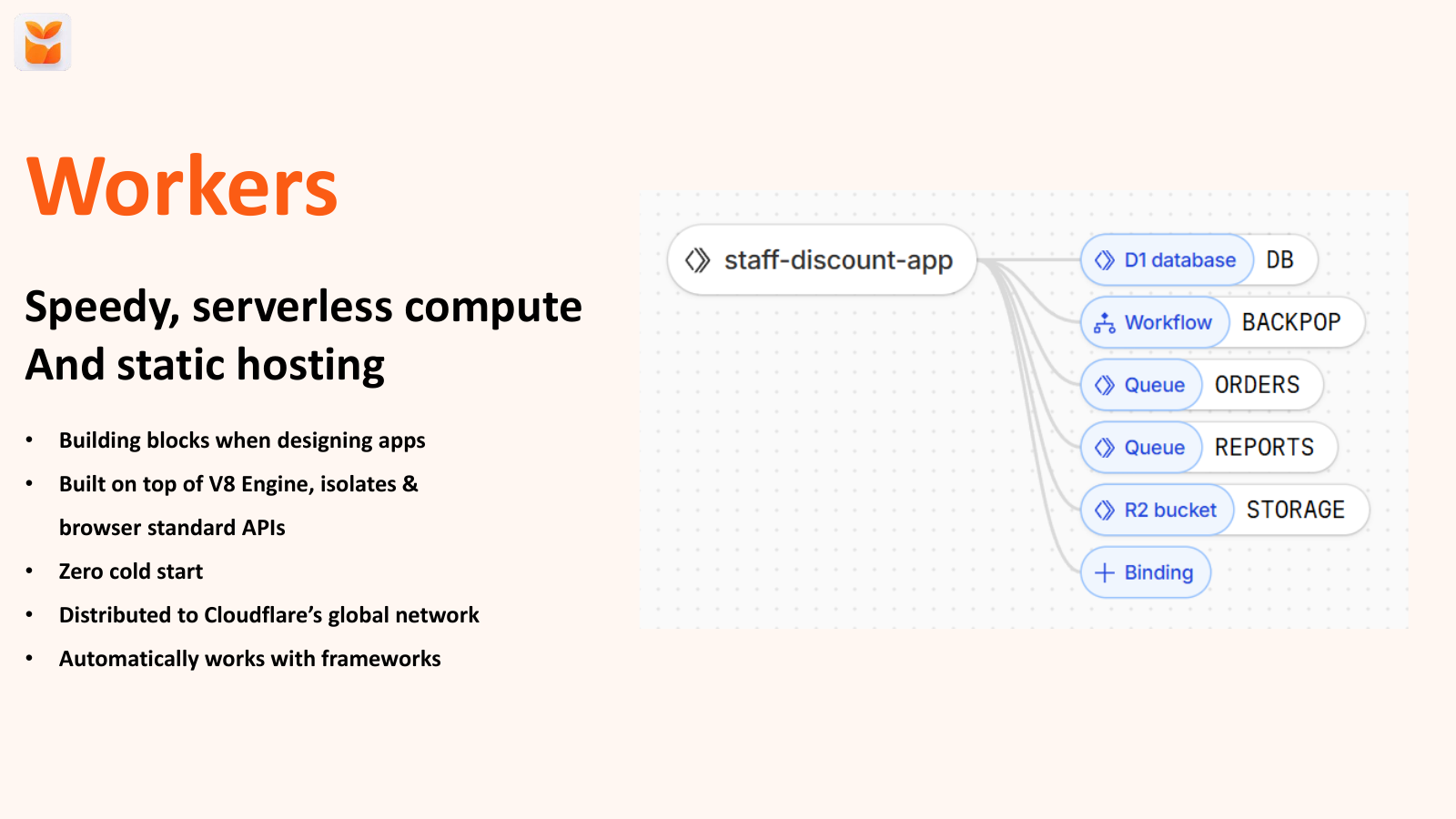
So if you've got users all across the world like Shopify merchants are, then that's great because this means they're gonna be close to your users so latency's gonna be low and again, speed is gonna be high. And this is an example of one of my other apps, staff discounts, you can see it's connected to a database, workflows, queues and a bucket. A little bit of code.
So yeah, that serverless thing It has HTTP requests, Q messages on a schedule. You can support hosting static assets. So if you've got something static and you want to host it for free, you can do that.
If you've got video assets, images, you want to host them for free and get them a great performance, you can do it on Cloudflare. You can do client-side rendered apps, and you can also do server-side rendered apps. Here's a really basic example of it.
We're taking a URL. If it's the API call, we return some data from a JS file. Otherwise, we just have some HTML.
But you can support frameworks on here. You can build out complex apps. about incredible multi-worker apps as well.
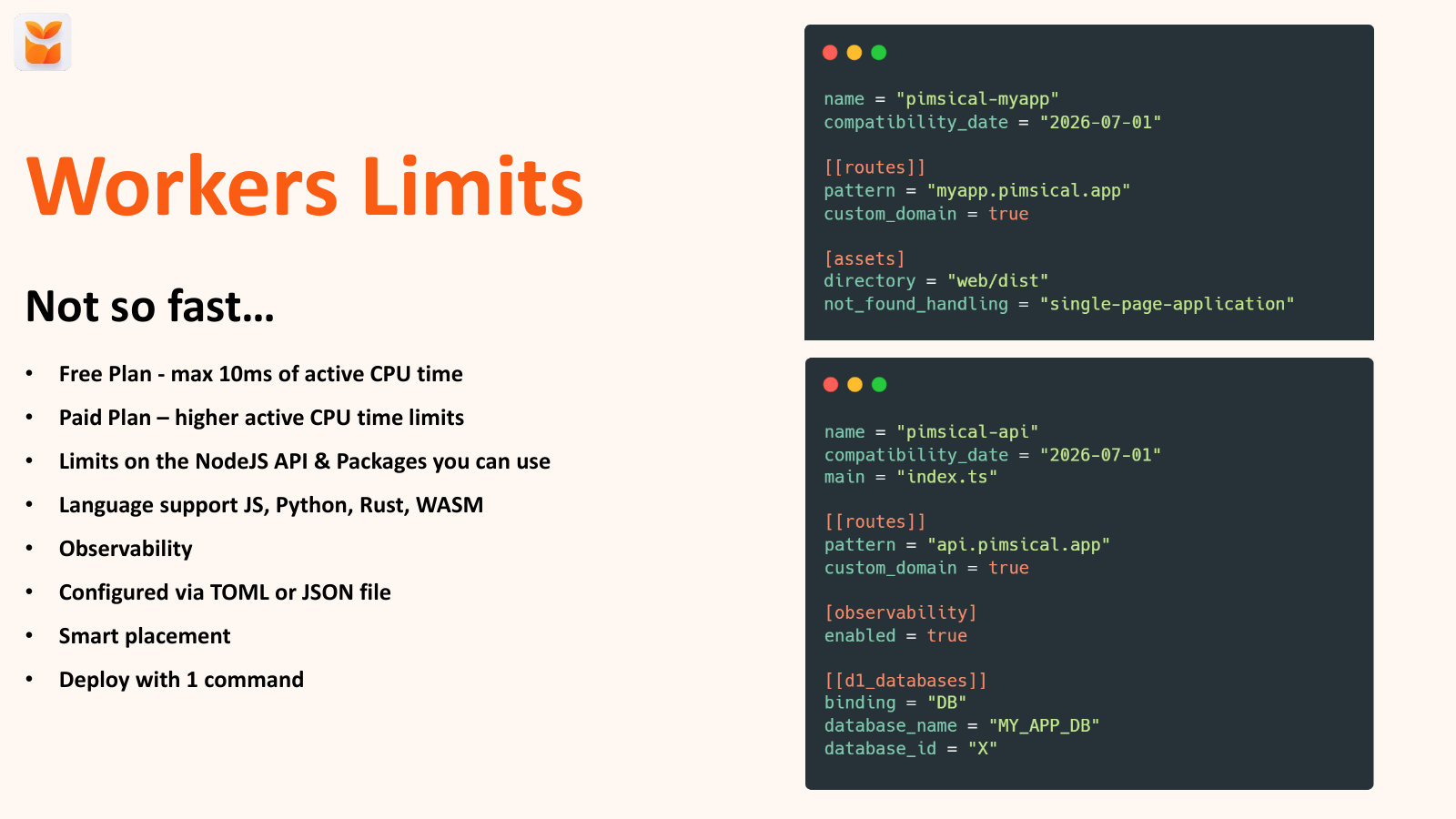
So there's a lot there you can compose together. And okay, so I've been hyping it up, but isn't always great, right? So the free plan is limited to 10 milliseconds of active CPU time, which sounds like a lot, but it's active, right?
So if you're calling another API, you're not limited by how long the API takes to respond. It's only while your worker is doing some code. The paid plan is obviously higher, so I'd always recommend that you're going to roll it up production.
There are a couple of limits on the APIs you can use. Only supports JavaScript and TypeScript. So there are some Node.js limitations.
It's about 90% coverage, so you're pretty much fine. You can also use Python and Rust, but you have to compile them to WebAssembly, so you can do anything in WebAssembly, but if you're using other languages that are similar to Watch App for, they have observability. So they've got their own logging and monitoring platform, as you would expect from a cloud provider now.
And you can configure it by a Toml file, so similar to Shopify's app Toml file. You can configure the way they work where they run in the world, and you can deploy with one command. Here's a super simple example, so you can see on the side of the screen, there's an example of how to deploy a single-page application in eight lines.
And that's all you need. You deploy, Wrangler deploy, and that will be live on Cloudflare's global network immediately. No Terraform to tower up, no complicated provider steps, like a couple of commands, and you're going.
You can see there's a more complicated example at the bottom, where I'm binding my API, I'm I'm turning observability on, so I want logs. I just turn it on with a Boolean flag, true/false. And I'm connecting it to my database.
Again, no database passwords to share around. Nothing to remember, keeping password storage. It's all just there in the Toml file.
So we've got an API. We've got our hosting website. But we're going to need to store some data, right?
So this is where D1 comes in. This is the SQLite serverless database, again included in that $5 a month. And that's the database that's serverless.
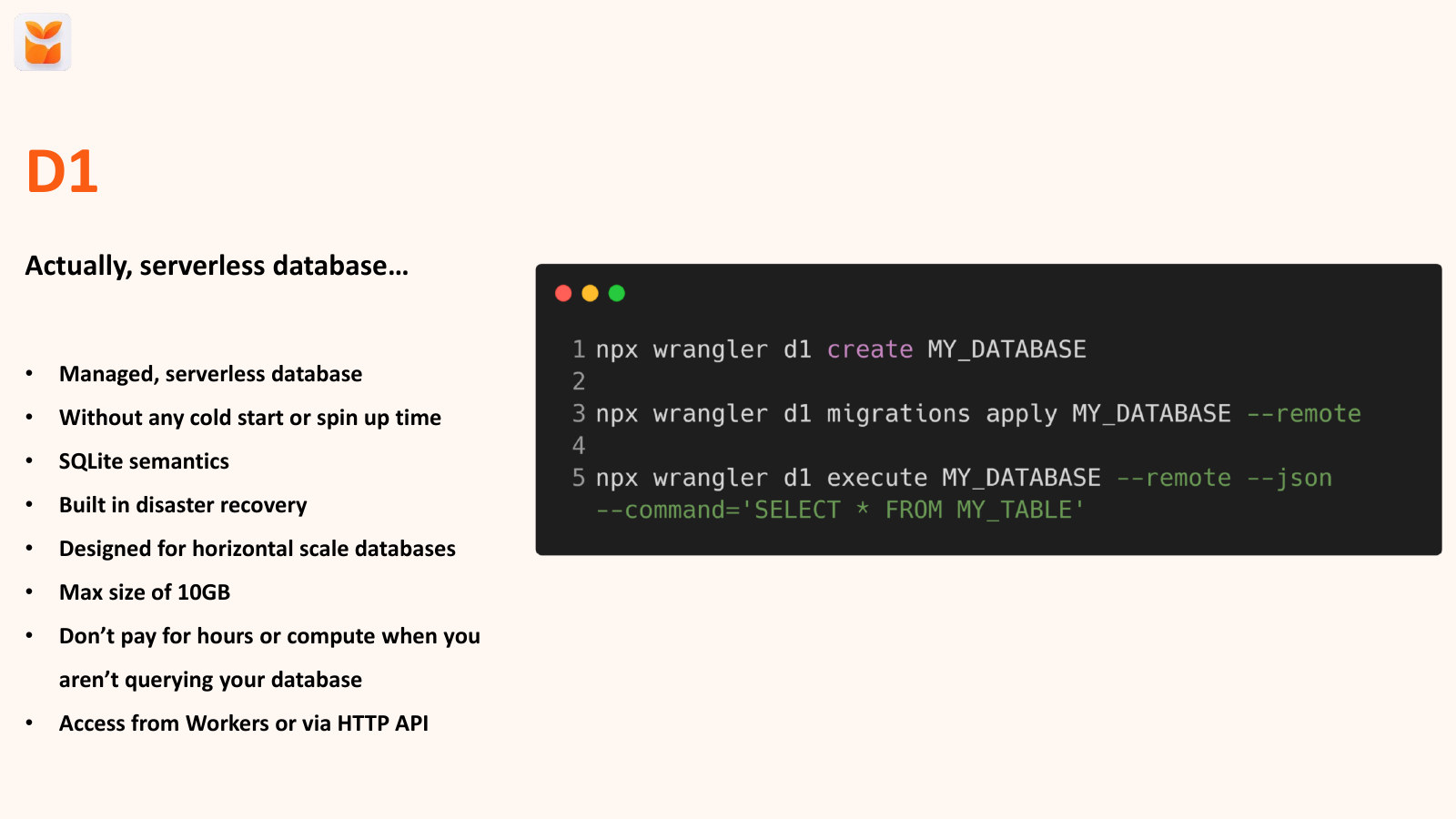
So it's managed. There's no cold starts or spin up times. It uses SQLite semantics.
So if you're familiar with SQL databases, then you're all good. It's got disaster recovery, so time stamping and rollbacks. It's got max size of 10 gig, which is something to watch out for if you're storing a lot of data on your side.
But you don't pay for when it's not running. So if your app is quiet over the evening, or you're not using it, or you know you much and stony use it during some period of time, then you're not paying for it while it's not running, which is great because, again, cost matters. And this is how you can create one.
You can very quickly create it with one command. You can then apply some migration to it, some SQL migrations, and then you execute queries against it like you would any other SQL database. It's as simple as that.
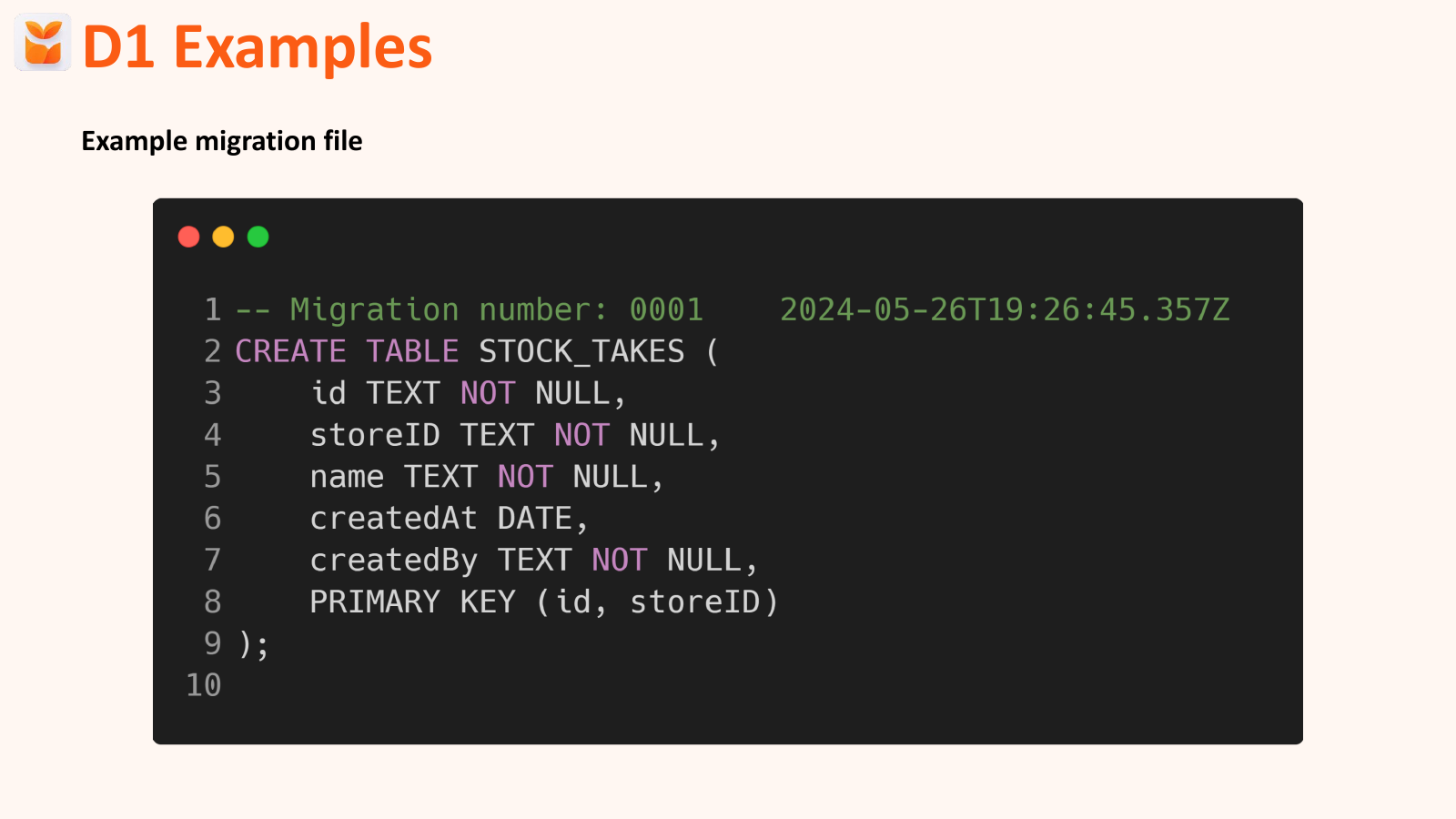
Speaking of migrations, what do they look like? Well, this, just standard SQL interface. Nothing new to learn, no weird, cloud-first specific things.
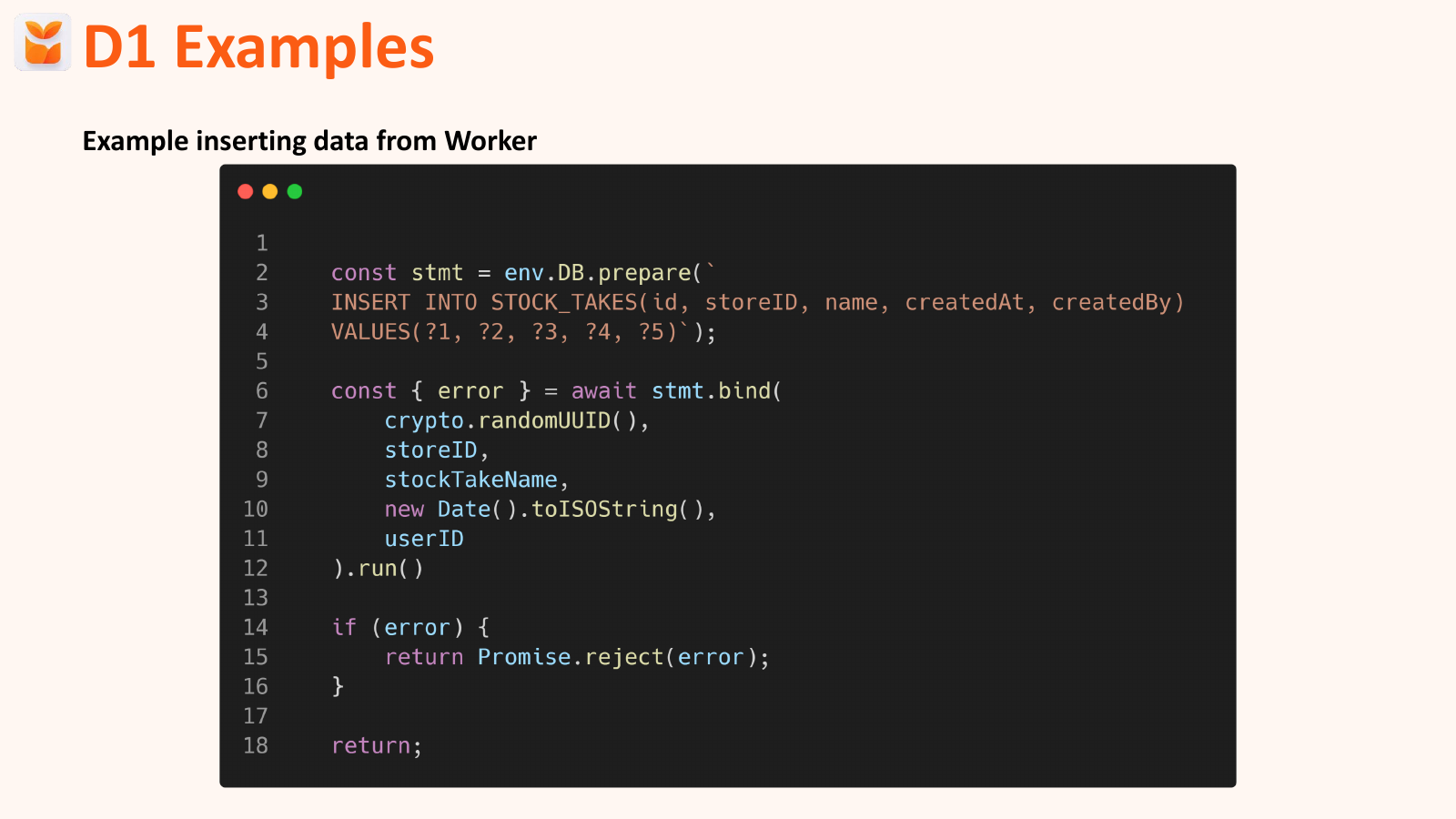
We can insert data into it. So this is how you insert data into your database. Again, very simply.
We'll prepare SQL command. We'll run it with the parameters that we want, and then we'll return it as an error. It can be simpler.
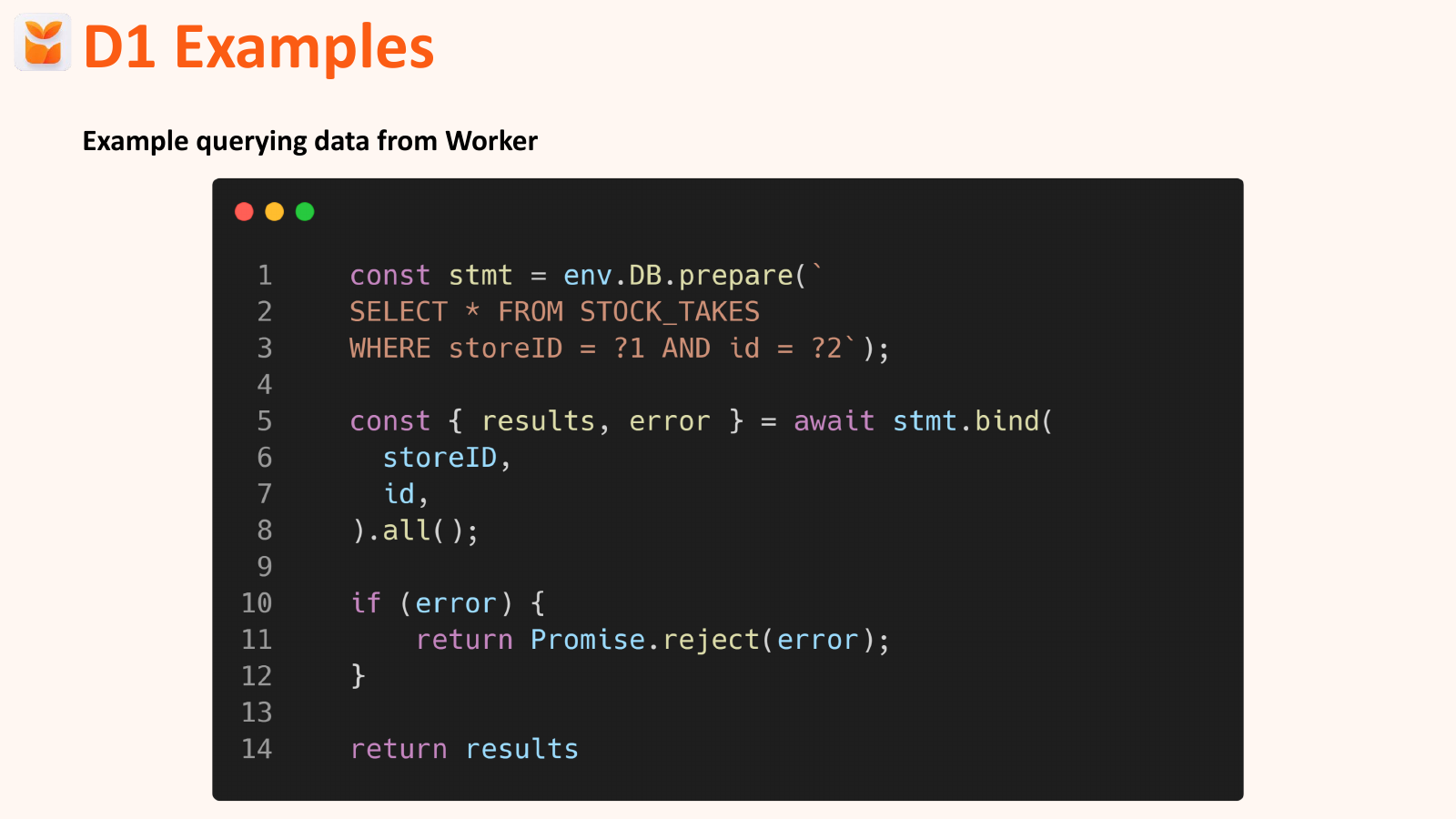
Again, you can also use ORMs that work with this as well, if you prefer that. And again, selecting data out. Really simple SQL command.
There's nothing new here, nothing weird, nothing like bespokely, Cloudflare. It's all just fairly straightforward SQL stuff. OK, so we've got an API.
We've got some data. But you know, we need to run some background jobs. This actually price just changed.
And I was a bit worried about that, because I was like, oh, pricing is going up. This is not great. But yeah, it turned out that the price increase was $0.79 for me.
So I'm going to be like, I should change this to $6. And that's 400,000 workflow steps that I'm running every month for $0.79, which is pretty wild to me, right? Like, how the hell does that work?
The work flow is great for anything background jobs. So if you're running cron jobs against Shopify, if you want to schedule something up, so like onboarding emails, this is where the workflows come in, you can build applications and logic that runs over minutes, hours, days, even years, I think. It automatically retries each step.
So if Shopify is down for a moment, a blip of outage is not going to fail your entire process. It will back off on retry. And you can control how that works.
It persists the state. So you can see how stuff's going on as you get through your workflow. And it's defined in JavaScript.
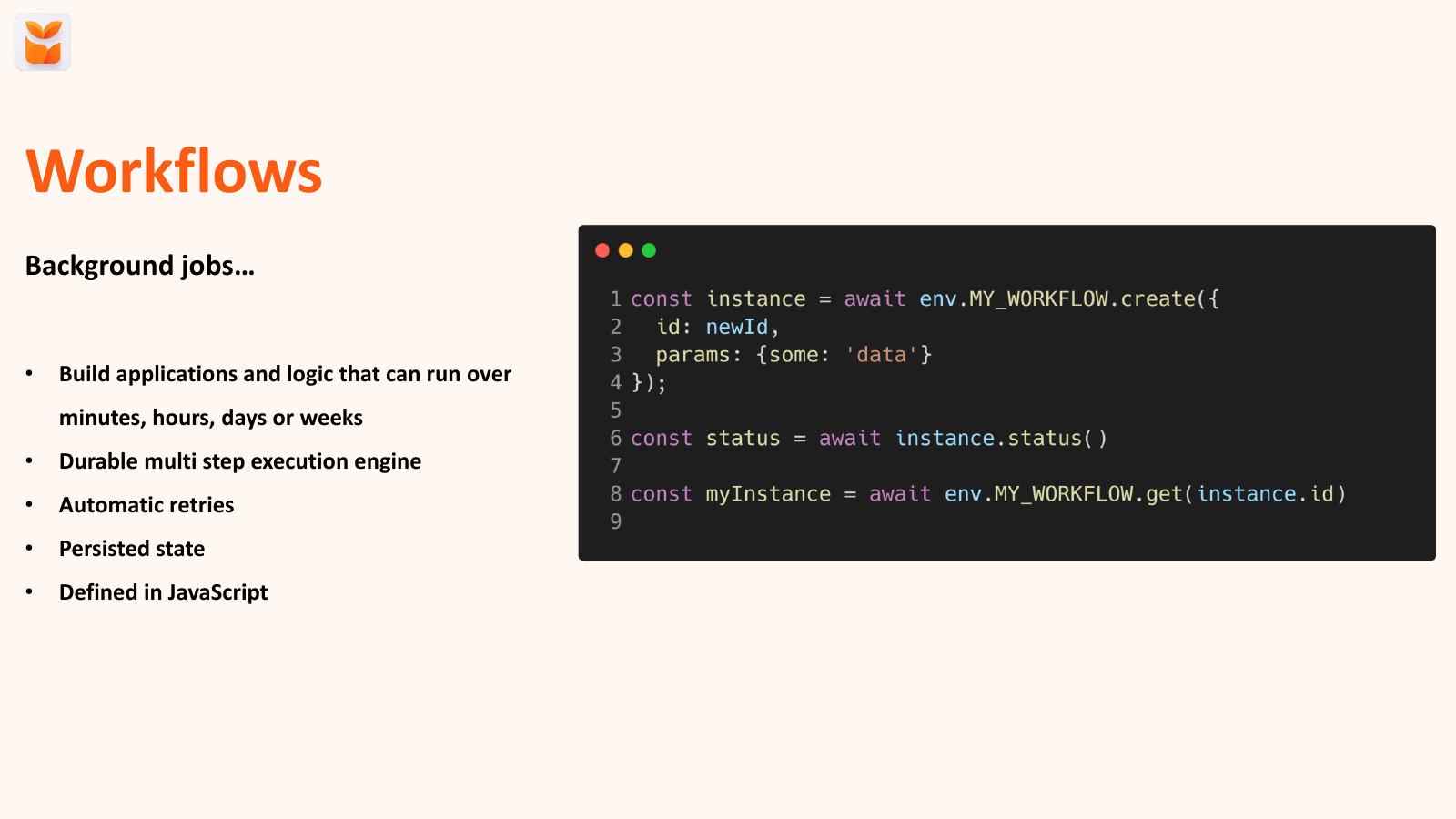
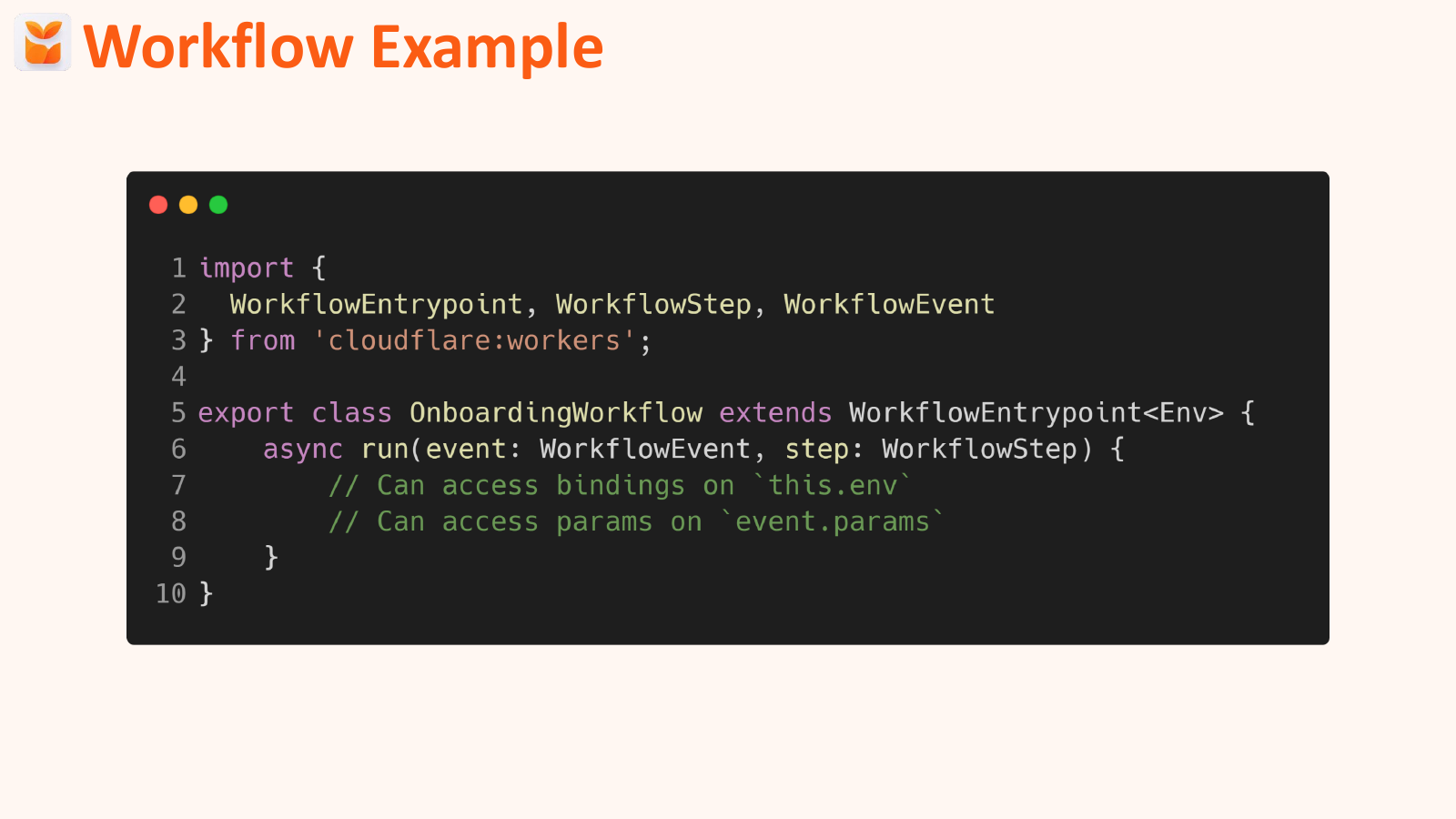
It's just a simple JavaScript class. And I'll show you an example of that in a moment. This is how you create it.
So you, again, just create a new class that you would in JavaScript. You can get it status out. So if it's running, erred, or waiting.
And you can always grab it back out if you need to get the results or any more data out of it. It's pretty simple. Each step in a workflow can be up to 15 minutes.
So again, you've got lots of processing time there because that's active CPU time again. So if you're calling an API, that doesn't count towards your limits, which is really great because Shopify's APIs can sometimes take a little time. So here's an example.
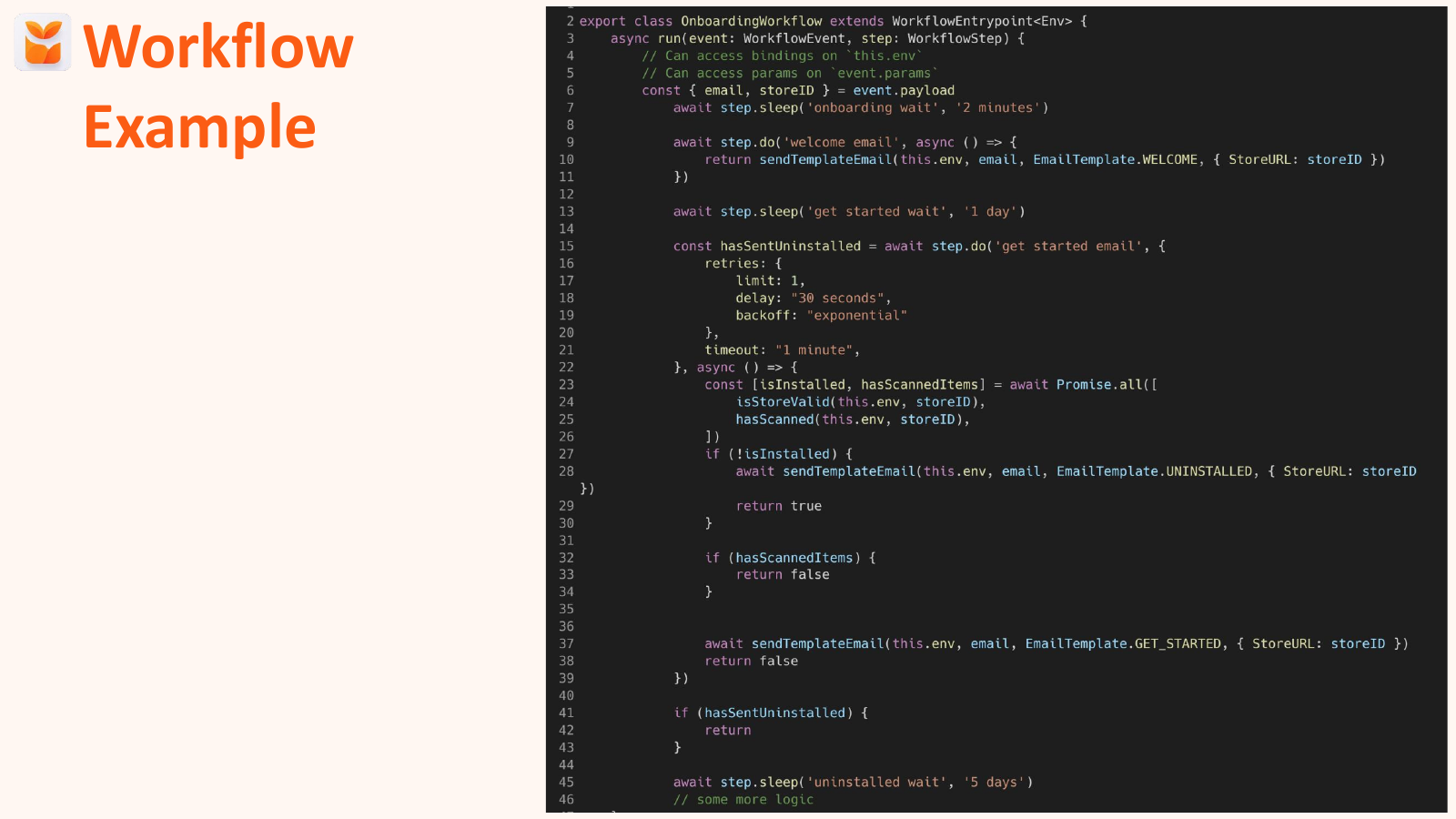
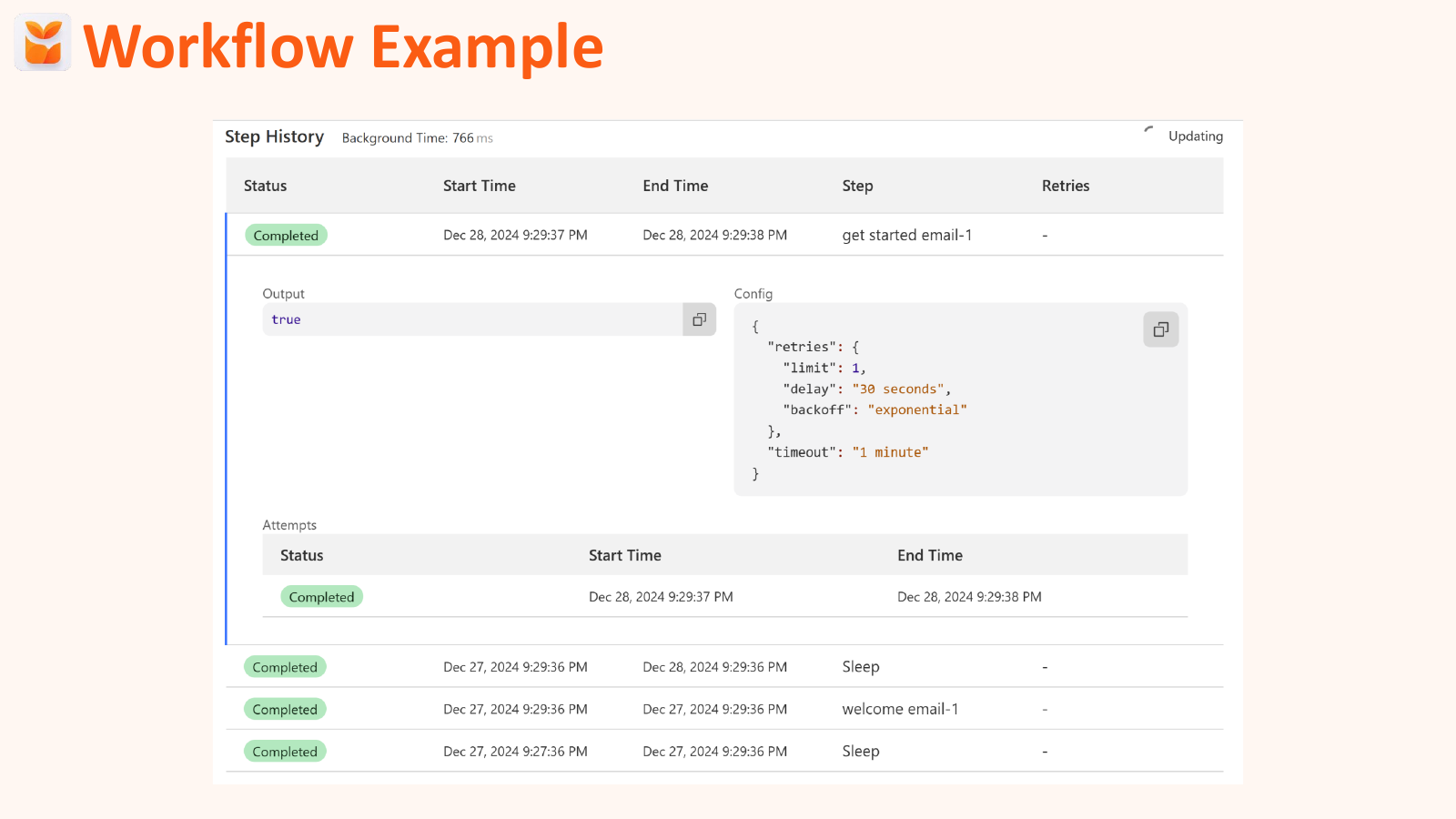
I'm sure that looks absolutely terrible on this screen. This is a real example for my app. This is my onboarding email.
And so we'll kind of break it down because I'm sure it's pretty invisible at the back. So first we define the workflow. It's a JavaScript class.
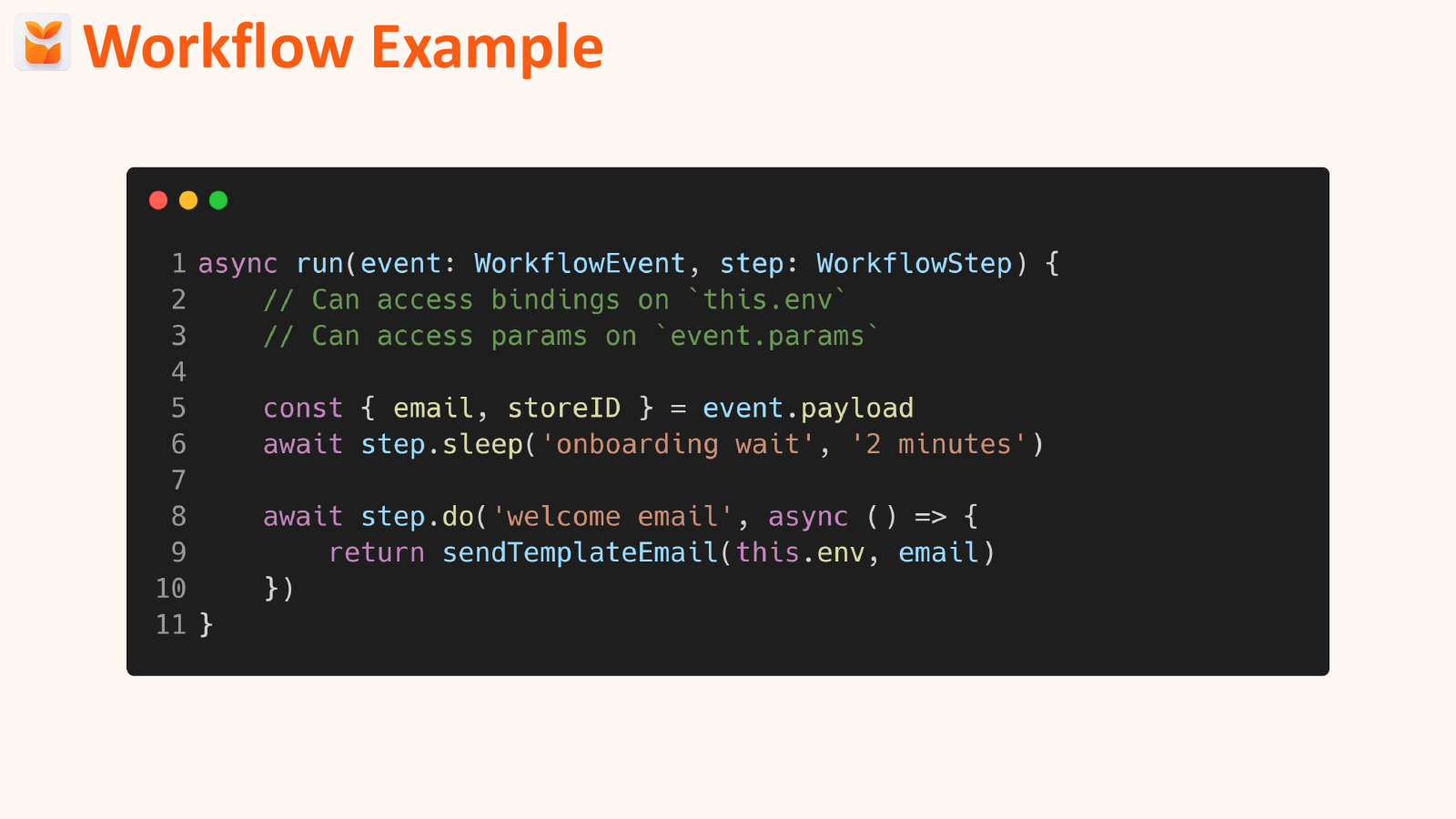
So we extend Cloudflare's workflow entry point with whatever workflow we want to create. That then has this run, special run function, which takes the event that triggered it, and then some steps. So the first thing we're going to do is we are going to grab the email and store ID that we triggered the workflow with.
We're going to wait two minutes, right, because you don't want to send an on-boarding email as soon as someone's got into the app. You want to wait a little bit, see if they're going. And then we're going to send an email.
So they're going to get a welcome email after two minutes to be like, "Here's our app. How's that to get started?" We then have a bit more complicated one.
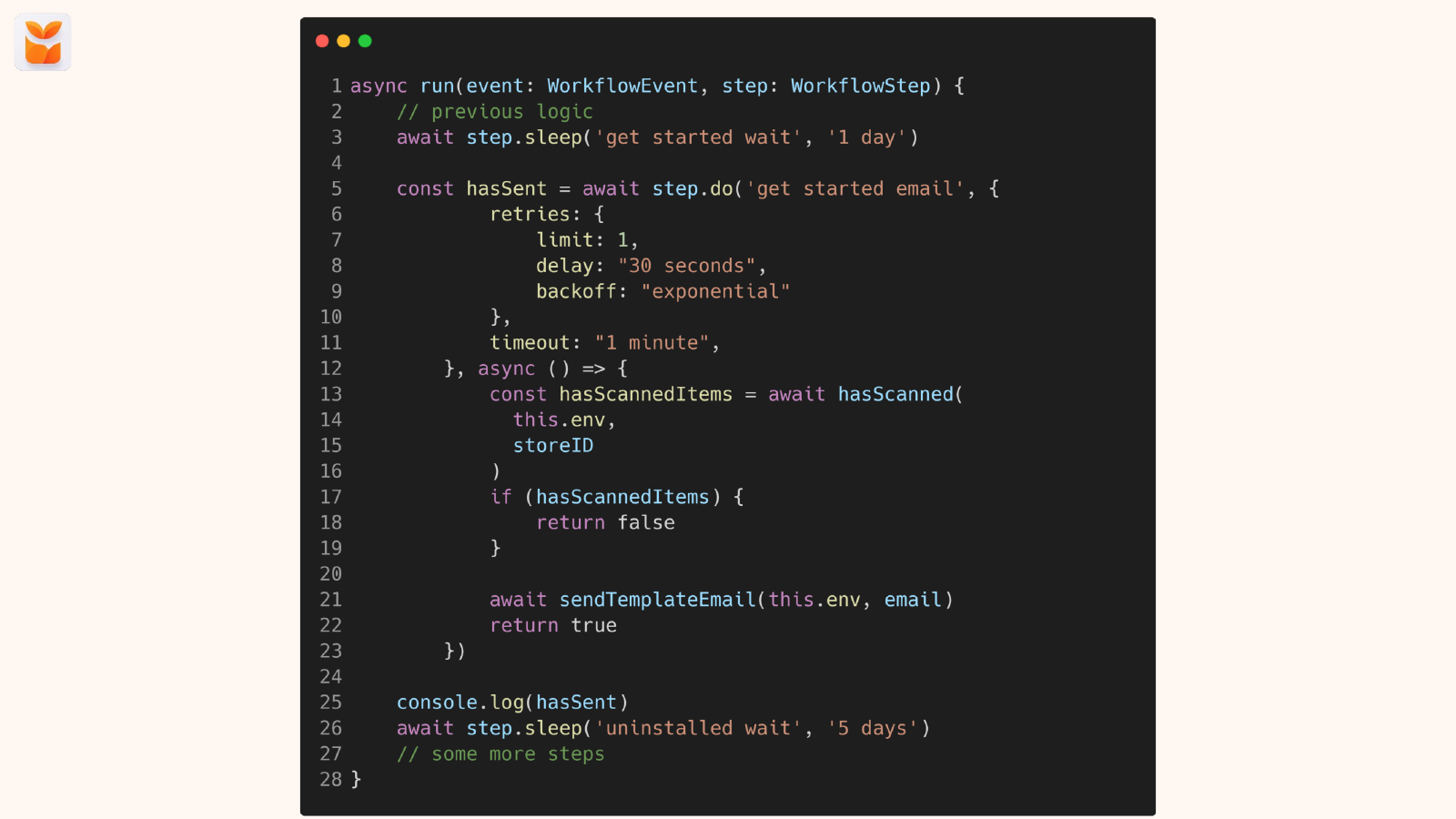
So after that, we then wait another day. So see if they're using it, see what's going on. You can see we have this next method, which is getting started emails, so we check that if they haven't done anything on that first day, then we send them a little nudge to make sure they're okay and see how they're getting on.
Pretty straightforward. You can also control the retries here. If you've got a flaky API that you're dealing with, if anyone's dealt with an ERP API, those things can go down for quite a while.
You can control your retries and how you want to handle that and when you want to retry that logic. Again, you can see this works. It returns a true false.
And then later on in the process, we wait another five days and we'll see if they've uninstalled and send an uninstalled email if we need to. All my logic for my whole onboarding process is in one JavaScript class, in one file. I don't have to coordinate any external services.
I don't have to think about where else something lives or what emails look like. It's all just done in the single file. And of course, that was a lot of code and looks pretty ugly.
But this is what it actually looks like. So you can see here each individual step on the far side. The name of the steps are the sleep, the welcome email, the sleep again.
And again, you don't have to worry about any of that. You can just say, wait for however long you want. And it will.
And it doesn't charge you while it's waiting. So you only pay for each step. And when your computer's active.
So it saves you, again, a lot of time, a lot of money. And we've kind of covered some of the key building blocks for what app looks like. So I'm going to show you what my app actually looks like.
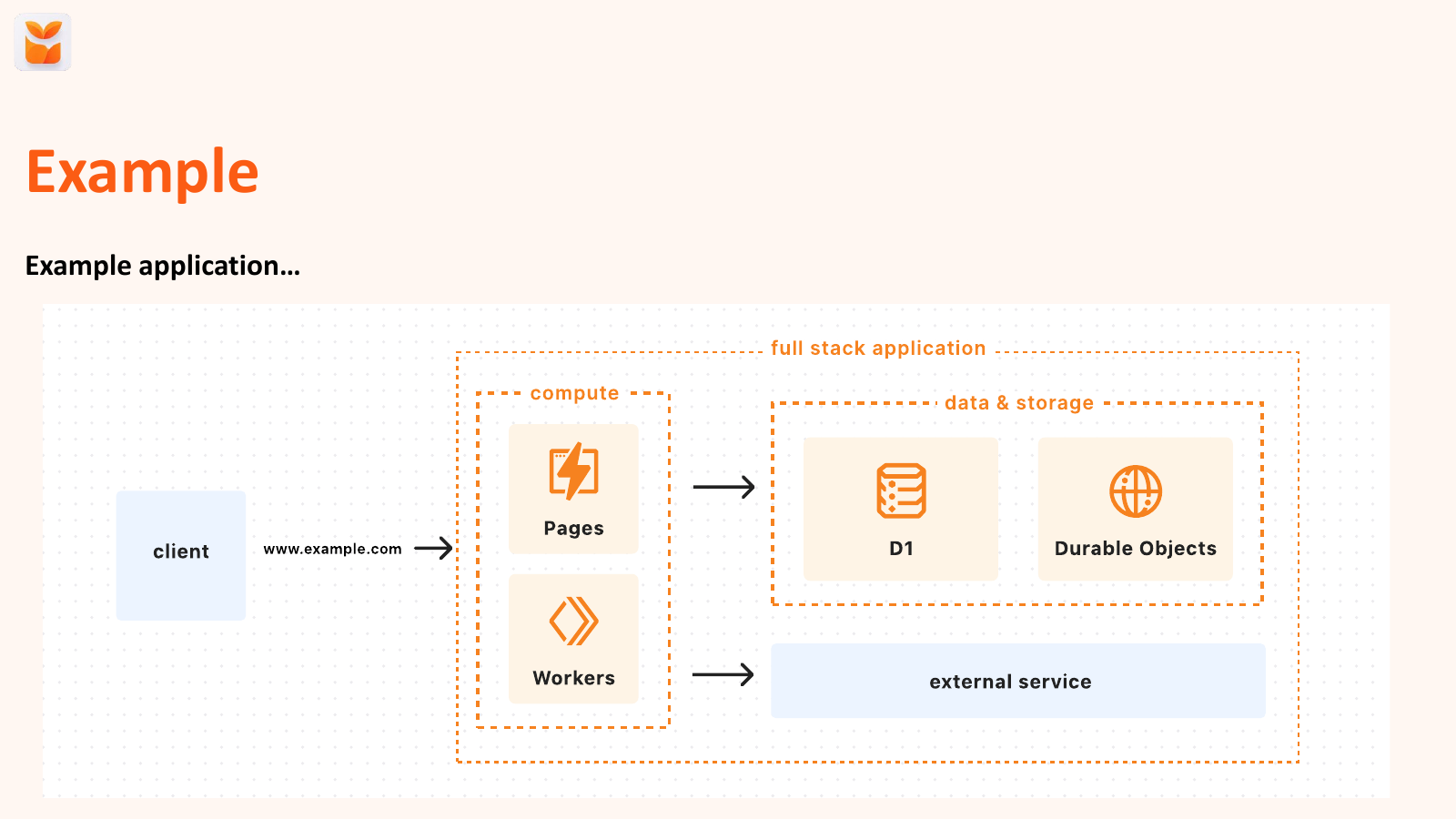
And hopefully I've highlighted some of the powerful things you can do with Cloudflare for really very little money. And this is actually what my app looks like. So the client, the iFamous, iChopify calls my API, which is on workers.
That then is connected to a database, which is where I store some of the store information and scan information. I do stock takes, so lots of scanned data. I coordinate some stuff using WebSockets to send live updates back to Point of Sale, because that's a really nice way to give feedback.
And there's a couple of external services for sending emails. And that's as complicated as my application is. And doing all of that, again, for $5.
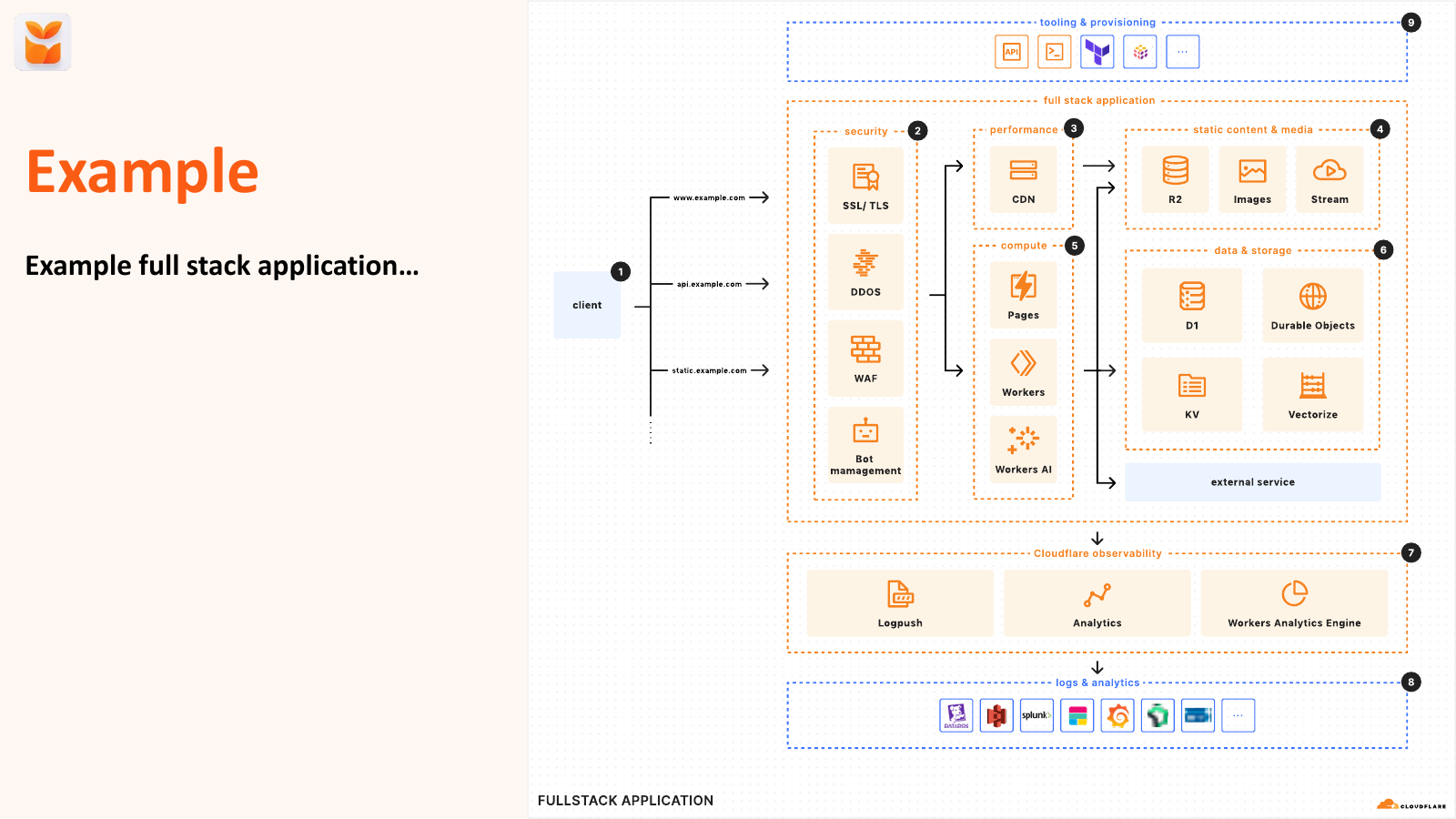
So you can do quite a lot, basically, with Cloudflare. But they also have a whole heap of other stuff. This is all of their stuff.
This is an example architecture from their thing. So they have, obviously, you know Cloudflare from DDoS Protection, a web application firewall to protect your app from any attacks. You've got bot management.
If you don't want your website being scraped by AI agents, you can just turn that on in Cloudflare. and it would just block them all. You'd have to worry about any of them.
And then, yeah, you can see it extends. You've got blob storage for storing images and videos. You've got streaming.
You've got key value caches. You've got, obviously, AI applications and analytics as well. So there's a whole heap you can do that.
And a lot of this is included in that $5 plan. So after that, quick question. Who's going to give it a go?
So a little anecdote. Charlie over here, gives a wave. We're still in the other day.
I met him at a conference back in London and told him how much it cost me to host my app. And I think, in shock, was a slight. Yeah.
And he recently built an app in a day, two days, and submitted to the App Store, all on Cloudflare, costing no money, and it's now going to go live. It's live already. Amazing.
It's already live in two days. And that's the kind of thing you can do with Cloudflare. It's pretty incredible.
So yeah, thank you. Anyone got any questions? Taylor's really getting his steps in today.
MC: Oh, Nigel. Nigel's hiding. No question. Jordan.
Audience: Thank you for explaining everything. I'm wondering if you at all are worried about vendor lock-in. I understand that Shopify is using Cloudflare, Cloudflare is huge, but you're using a lot of the primitives there. or not just deploying an application that you can just move off in five minutes to another hosting provider because you rely on their specific services so much. So I was wondering how you calculate that for yourself.
Jordan: Yeah, so that's a really good question. So I believe all architectures and pretty much anything we do in life actually is just a trade off, right? Do our pros or our cons.
I had this debate with someone actually. They were a big fan of Kubernetes and so they built everything in Docker and Kubernetes And I was like, OK, now deploy that AWS Kubernetes cluster over to GCP. And you can't, right?
Because they're completely different. It doesn't work. GCP does Kubernetes completely differently to AWS.
It's not a thing. So I think regardless of where you pick, you're going to have some level of vendor lock-in. And I think you just decide where that trade-off is.
I decided to go all-in on Cloudflare, because the bill is great. The performance is excellent. My endpoints are responding in less than a millisecond in some cases.
And so I decided to go all in because I think I get more benefits and more risk. I don't think there's any cloud platform you can do, unless you want to roll your own. But then I can't roll my own to every single node in the Cloudflare network, like across the globe, but that would cost me a fortune.
So it's just kind of where you want to put those trade-offs. There's definitely benefits to be able to move to other providers, disaster recovery, like multi-cloud. But that comes with a huge cost associated with it.
So it's just kind of where you want to sit with those trade-offs, I think, and what you're comfortable with, I think, is the most important.
Audience: I had two questions, one about web processing and the second about just internal tools and authentication. So can you talk a little bit about both?
Jordan: So yeah, webhook processing. Obviously, go check to the Hookdeck people. But you can post the webhooks on Cloudflare.
Cloudflare workers will scale to pretty much whatever you want. Again, 10 million requests a month. not many people doing that many webhooks someone's. So you could do it all through that if you wanted to. I'd probably drop onto a queue first and then post it off the back of the queue, just so you have control over it. But again, you could do something like Hookdeck for that. So you could definitely post it to that one.
Audience: And you didn't have any issues with the D1 or, I mean, I haven't used SQL like much in production, but it's fine with all the locking and everything just works just you would expect. Is that right?
Jordan: Yeah, I've had no, there was one week where D1 did have a bit of an issue. Like not an but it was slow to respond. They resolved that.
Every cloud has a bit of an empty drone. We can't have to accept that. But I had no issues with it, no. But I don't really process how many webhooks I do like synchronous calls, because people are stock-taking on my apps, so they're scanning individually.
So I do a lot of synchronous calls to store that. But the only thing to be aware of, and that I'm most concerned about with it as a product, is the 10 gig limit. Because if you're storing a lot of data, then you get to that 10 gig limit pretty quick.
So yeah. What was the second question?
Audience: Second question was more in terms of internal tools. I think what we are thinking of building is internal tools over that D1. And yeah, there's not much of a question.
I kind of answered it on, but if you have any experience when you build internal tools to see how merchants are doing across, how many merchants are onboarded and so on and so forth, do you build your own? 'Cause we built our own, but there's also, we have some in PostHog. And so just any experience of doing those internal kind of crafty work, that would be good.
Jordan: Yeah, so I was on Mantle. So I'm now debating what my options are and where I go to. I have separate like dev observability in Honeycomb, where like all my requests go through, so I can see exactly what stalls are doing what, and I have like where they're going around on the front end and like what steps they're doing for like onboarding as well.
So you can use that as kind of a proxy of the minute. But I am looking at whether I build or buy as I move, as I have to move up rental for those kind of more business side of things. It sounds like I'm plugging a product, but there's Cloudflare Access.
So if you want to put a worker behind email login and be like, OK, I want to do that, you can literally turn it on with like, I think it's four settings. So if you want to turn that on and build an internal tool to blow on Cloudflare, you just turn on Cloudflare Access and be like, only these emails can log into it. And it's just done.
A friend of mine did that recently. and it was, he remarked how ridiculously easy it was 'cause he was used to building on AWS.
Audience: Oh, just to get that clear, you're saying that there's an email level authentication built in so that you can do internal tool authentication really easily. So that's quite a big- Yep. - Yeah.
That's very helpful. Yeah. - Okay.
And then what was the Honeycomb you said that you're using as a replacement of a Mantle?
Jordan: So I use Honeycomb for more like developer observability. So I'm looking for another alternative for Honeycomb. I'm looking for a alternative to Mantle like a business perspective for those business metrics.
Honeycomb is more like, how many requests am I doing? Like what pages is the user on? Like any logs and errors and those kind of like developer side of things.
So I'm looking for a business alternative at the minute. I use Honeycomb for like the dev side of observability. Got it, thank you.
Always.
Audience: Circling back to the 10 gigabyte D1 limit, have you managed to come by with that for your production app? And if not, what avenues did you use to shout at? I mean, I think durable objects have built in SQLite.
Jordan: Yeah, so I'm currently- I've archived a lot of data off into blob storage, because I got to 6 gig limit. And basically, I'm really nervous. I was in Italy on holiday, and I looked one day, and I was like, oh my god, I'm at 6 gig.
Like, this is compounding quite quickly. So I very quickly, after that holiday, archived a little data off that was old. And literally, I have a stocktaker's taste of archived.
So I can safely archive off into blob storage and give access to that. But I am looking at other options, because the 10 gig limits coming around again. But if you're getting started, like if you want to put an app together and just use it to get started, then you can.
And I think we also have to get comfortable that apps change but feature-wise, but architecturally as well over time. So it might be the thing that you start to get going. But as you scale, you're going to have to make other trade-offs and decisions.
And I think that's something to get comfortable with. I don't think there's one solution that's going to last you forever.